Home
Booking software for any shared space or asset
Book rooms, desks and equipment. Pay per resource, not per user.
From boardrooms and lab equipment to vehicles and maintenance bays, if it’s shared, EZBook can book it. Unlimited users, approval controls, and built-in maintenance awareness.
Trusted by universities, counties and organizations for more than 20 years


20+ years
making booking easy for universities, counties and businesses
Unlimited
users and bookings on every plan, at no extra cost
$299
a year for every 10 resources you manage in EZBook
1M+
bookings made with EZBook over the years
What you can book
One simple system for every shared resource
EZBook books physical resources and assets. Users see what is available, book it in a few clicks, and double bookings stop.
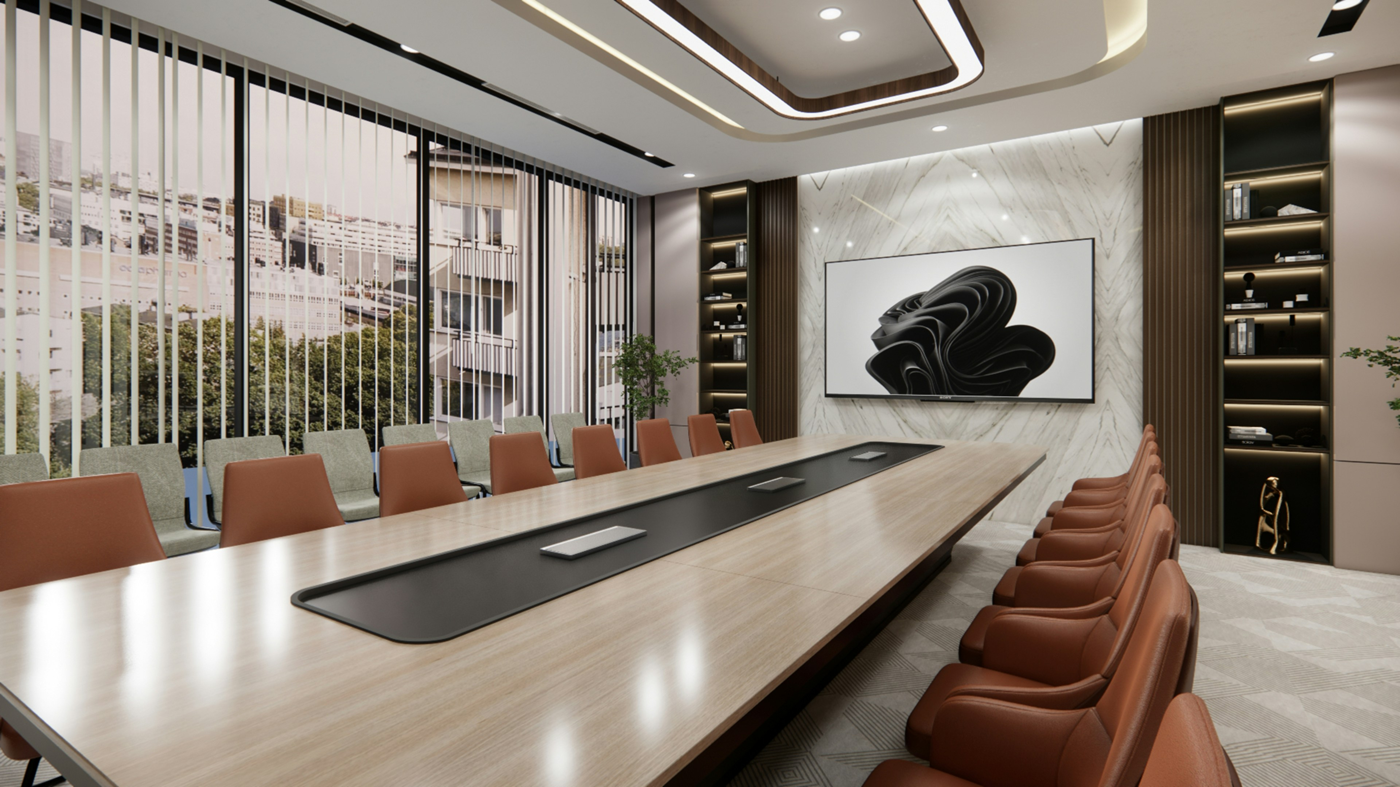
Rooms and boardrooms
Meeting rooms, boardrooms, event halls and consultation rooms, with approval rules for the rooms that matter most.
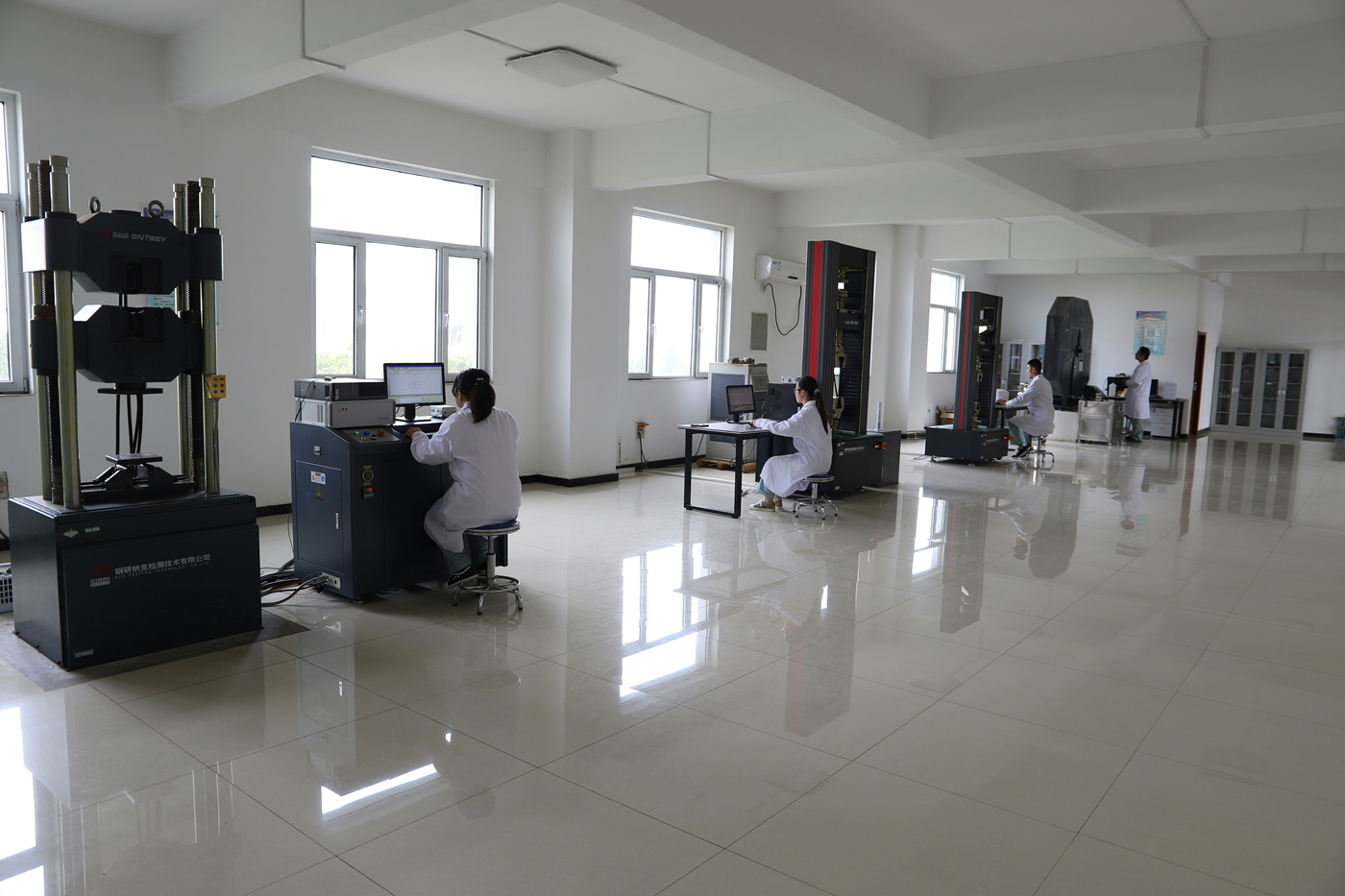
Lab equipment
Microscopes, analyzers and shared lab equipment for hundreds of student and researcher users. Fair time slots, no paper sign-up sheets.
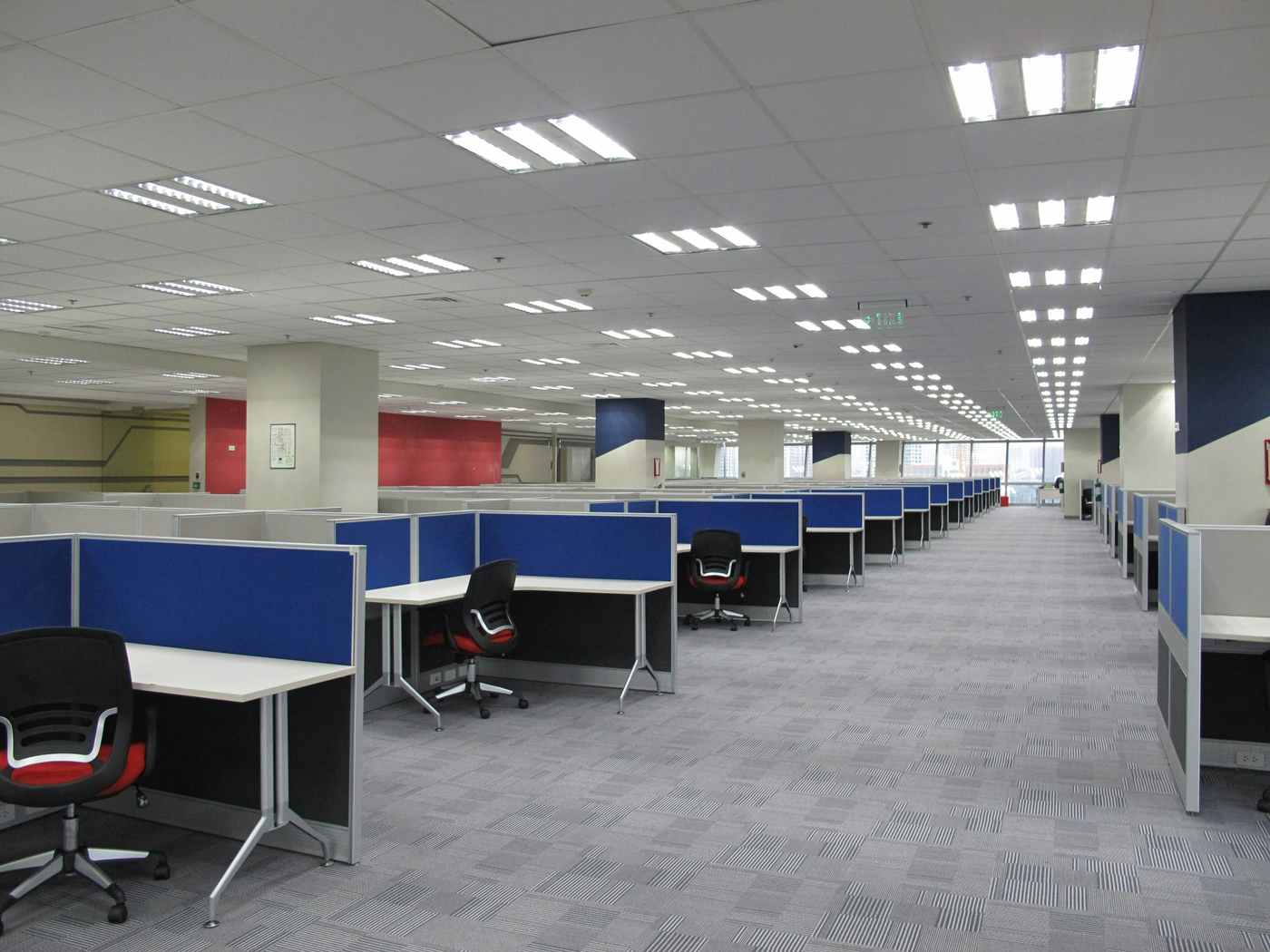
Desks and hoteling
Hybrid staff reserve a desk before they come in, or book from a pool and get a free desk assigned.
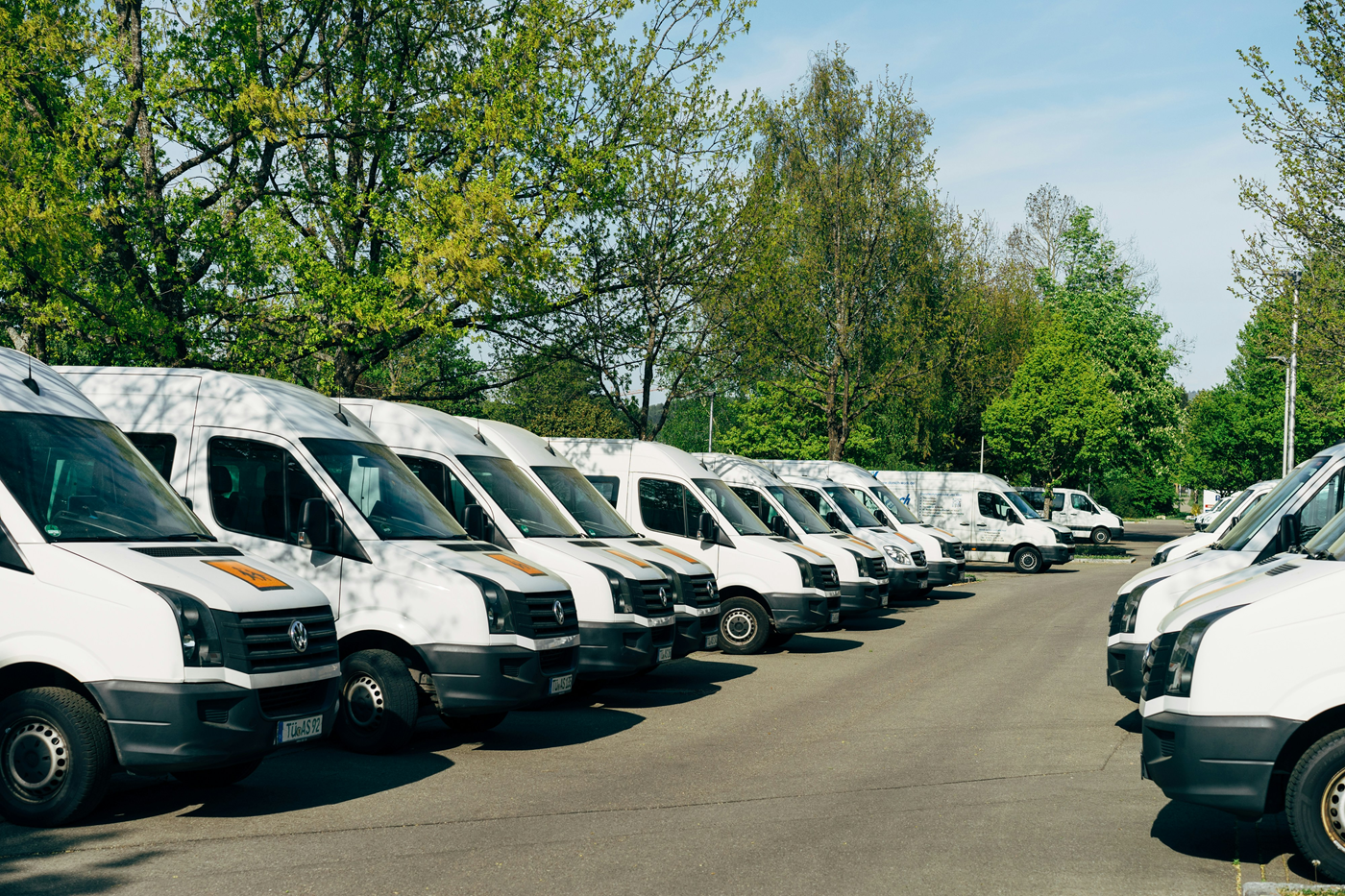
Vehicles and motor pools
Pool cars, vans and trucks booked by department, with approvals for longer trips and a clear record of who had what.
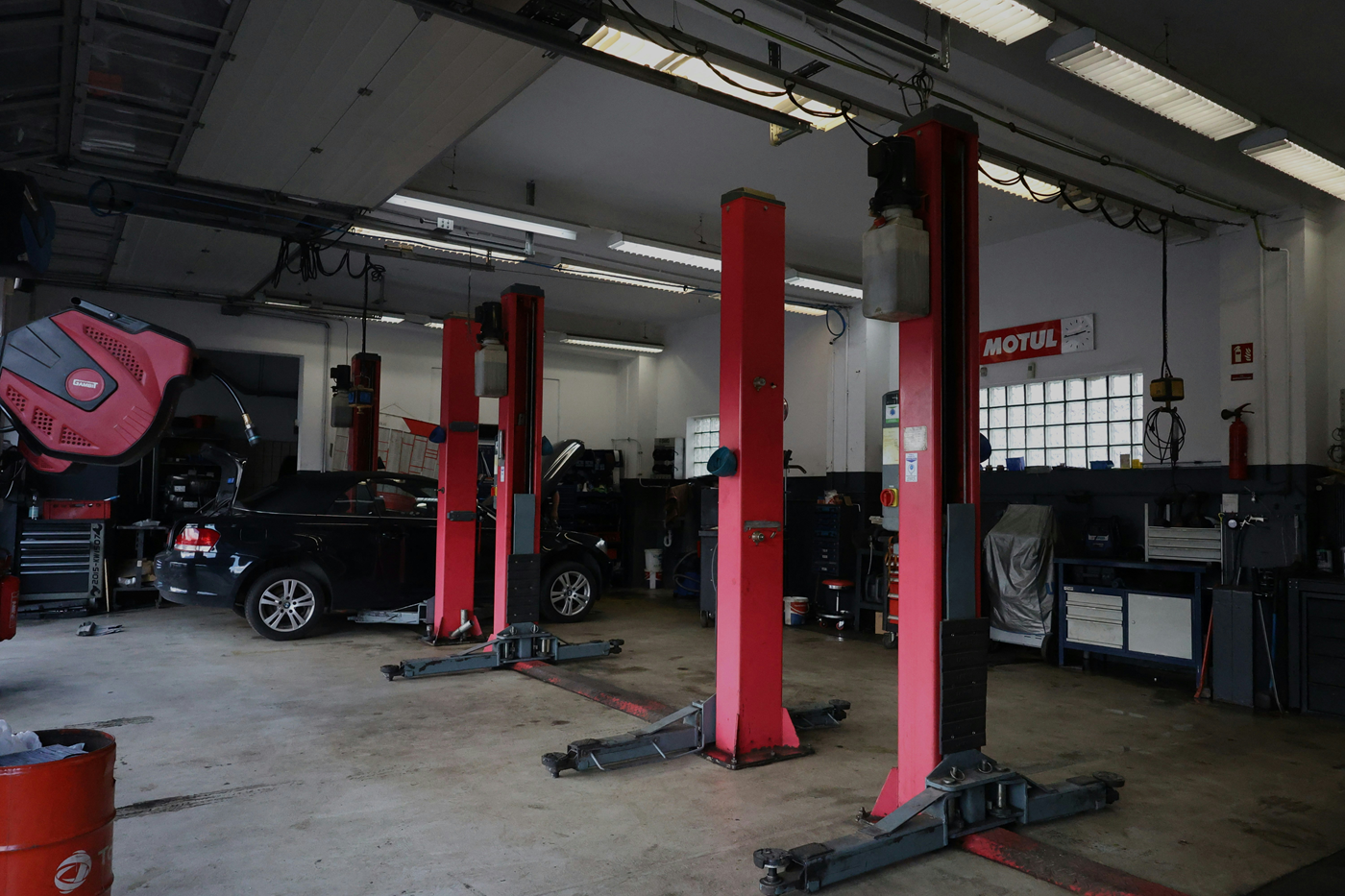
Maintenance bays
Service bays and workshop space scheduled by crew or contractor, so vehicles and equipment get serviced without conflicts.
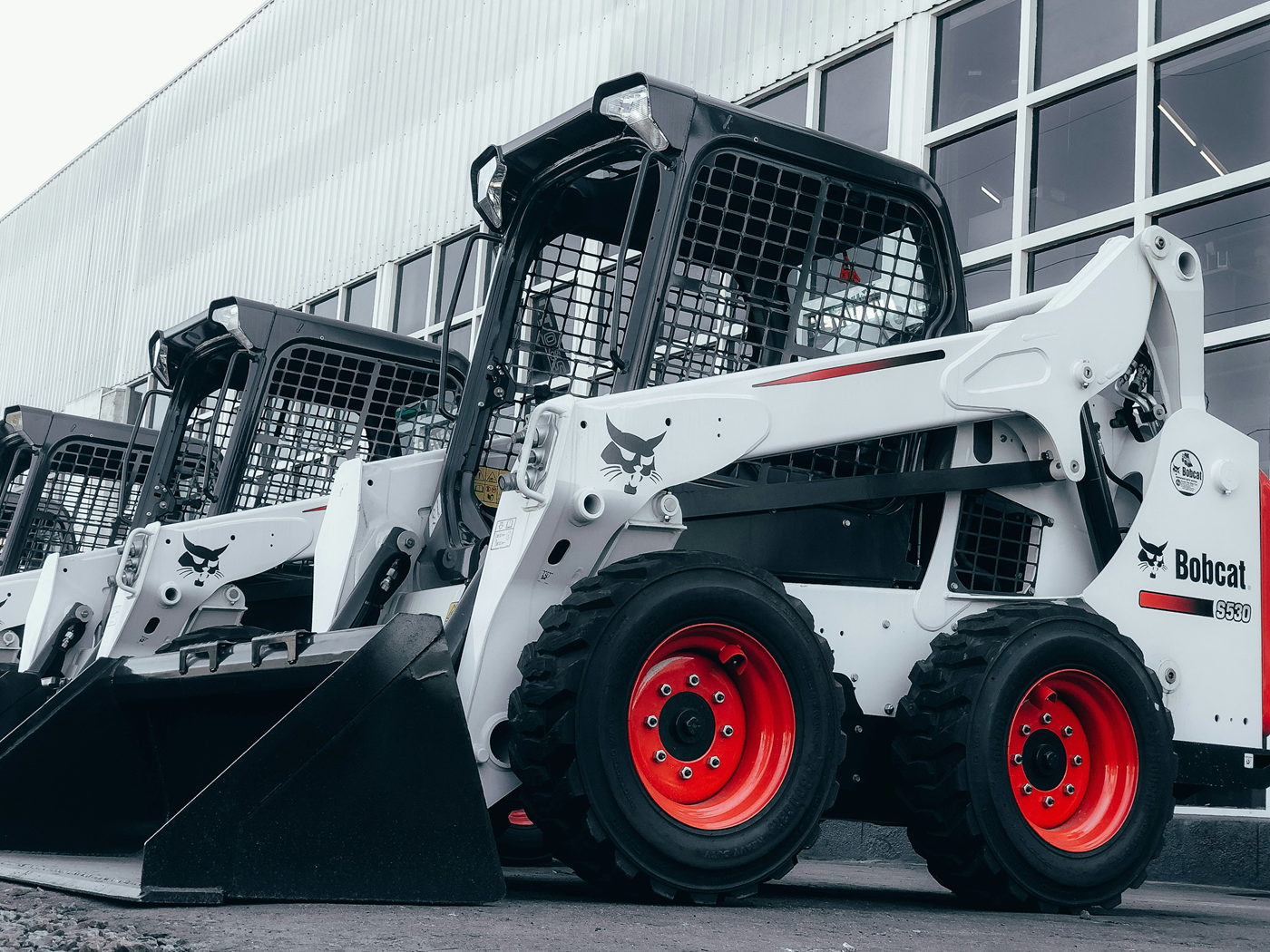
Tools and shared equipment
Projectors, AV kits, tools and loaner equipment, booked by the hour or day with no spreadsheets.
Don’t see yours? If it’s shared, EZBook can book it.
Why EZBook
Booking that understands how your resources really work
Resources go out for repair, users forget to show up, some spaces need a gatekeeper, and some contain smaller spaces. EZBook handles all of it for you.
01 · Maintenance awareness
Nobody books equipment that’s out for repair
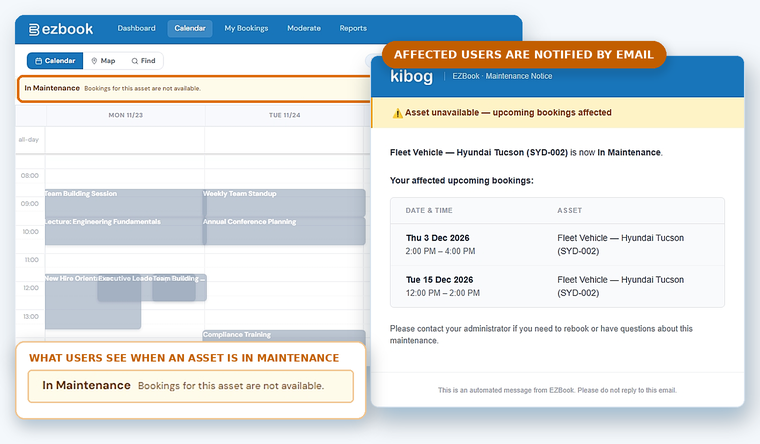
When a room, vehicle or piece of equipment goes into maintenance, EZBook blocks new bookings straight away and emails everyone with an upcoming booking, listing exactly which of their bookings are affected. When the work is done, it opens for booking again automatically.
- Bookings blocked the moment a resource goes into maintenance
- Affected users emailed straight away, with their bookings listed
- Reopens automatically when the work is done
02 · QR check-in and auto-release
No more ghost bookings
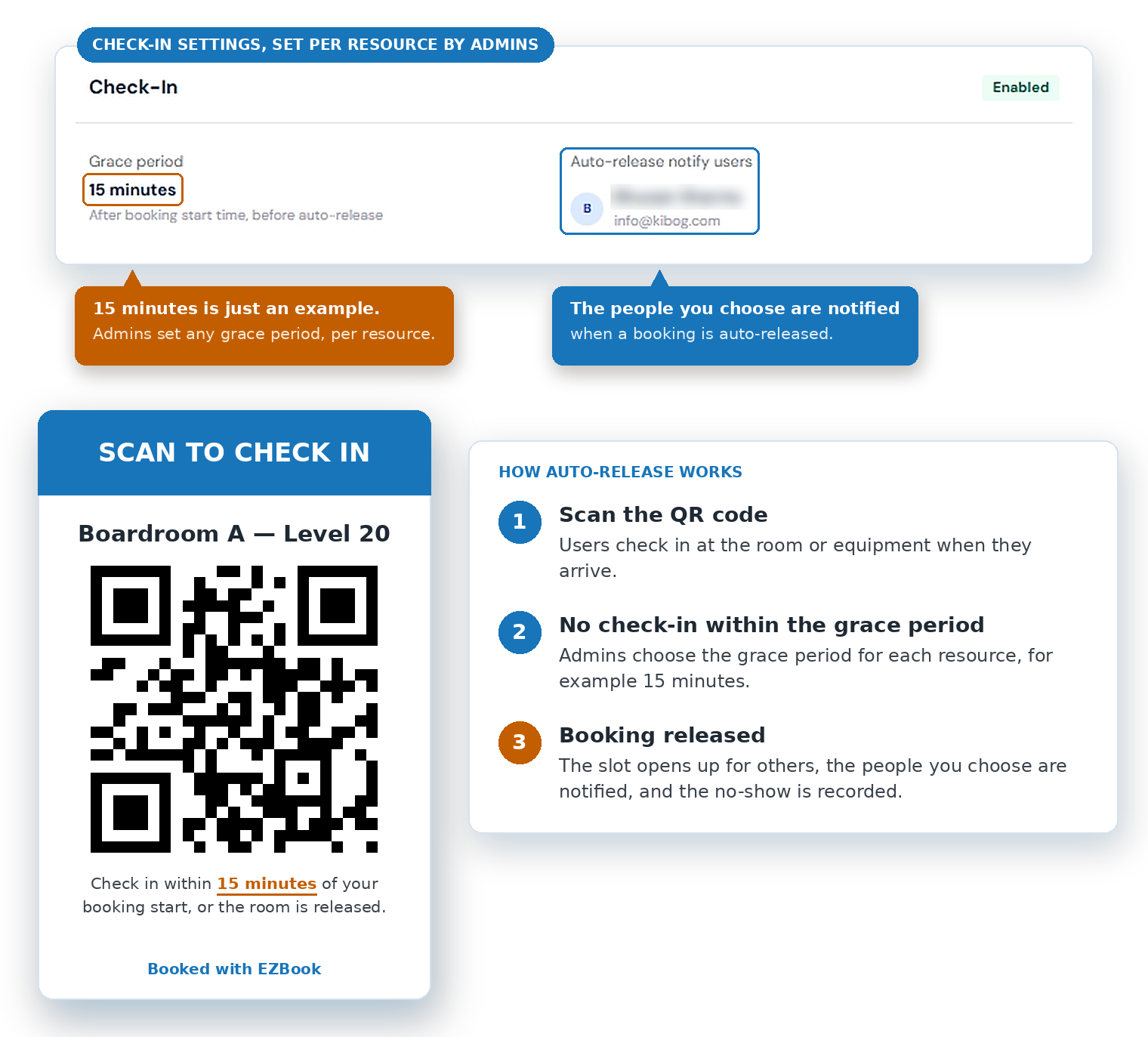
Rooms booked but never used are the most common complaint about any booking system. Users scan a QR code when they arrive. If nobody checks in within the grace period, the booking is released and the room or equipment is free for someone else.
- A print-ready QR code for every room and piece of equipment
- Grace period set by admins for each resource, such as 15 minutes
- Released bookings notify the people you choose, and every no-show is recorded
03 · Moderated booking
Your boardroom is booked only when you say yes
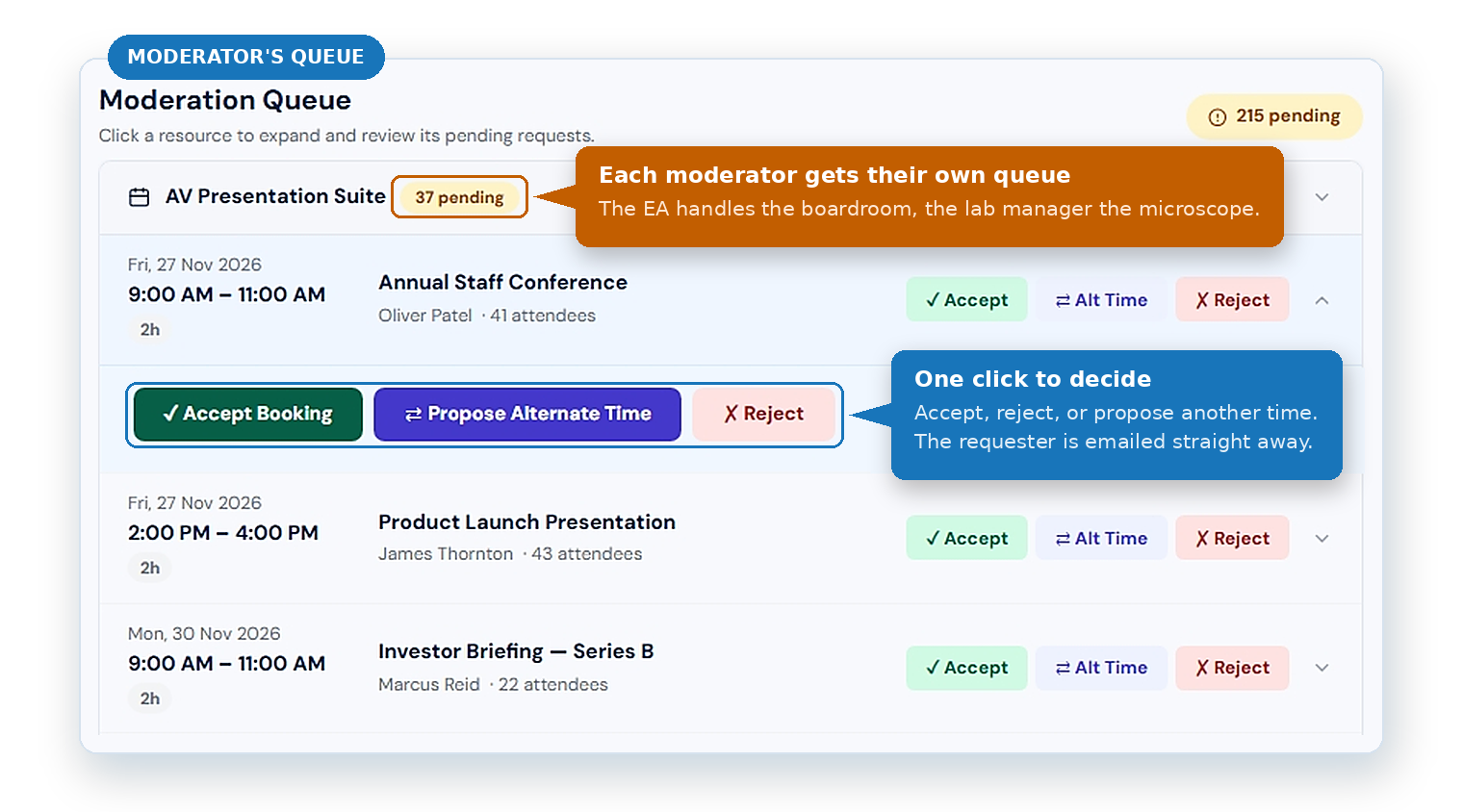
Some resources need a gatekeeper: the executive boardroom, the event hall, high-value lab equipment. Mark them as moderated and every booking becomes a request. Everything else still books instantly.
- Approval required only on the resources you choose
- A moderator per resource: the EA for the boardroom, the lab manager for the microscope
- Accept, reject or propose another time, and the requester is emailed straight away
04 · Book together
Book everything the meeting needs in one go
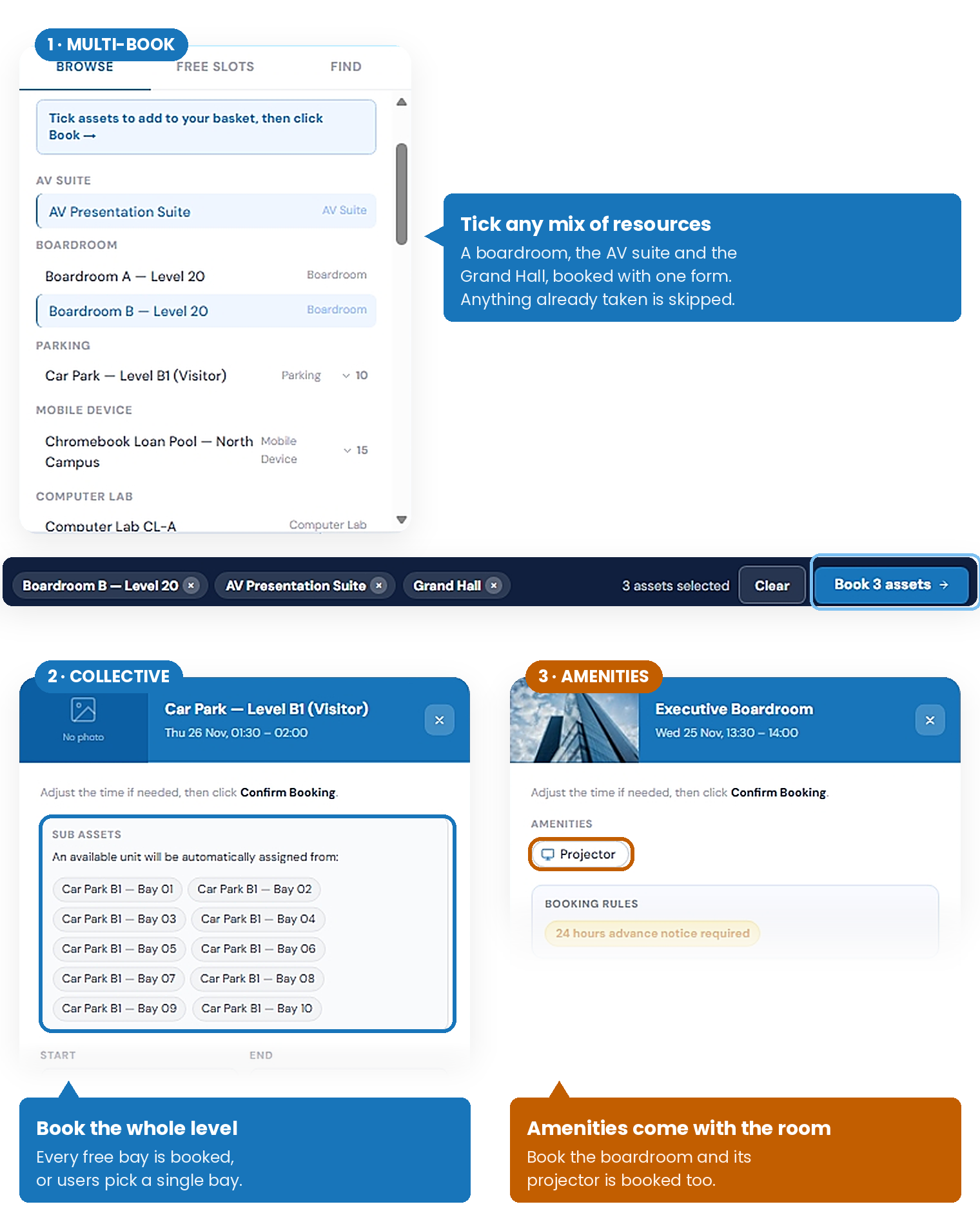
A board meeting rarely needs just a room. There is the AV suite, the projector and parking for visitors. EZBook gives users three ways to book them together, and anything already taken is skipped, never double-booked.
- Multi-book: tick any mix of rooms, equipment and spaces, then book them all with one form
- Collectives: book a whole car park level and every free bay is booked, or pick a single bay
- Amenities: link a projector to the boardroom and it is booked with the room every time, with its usage tracked
Easy for every user
Three ways to book. One simple system.
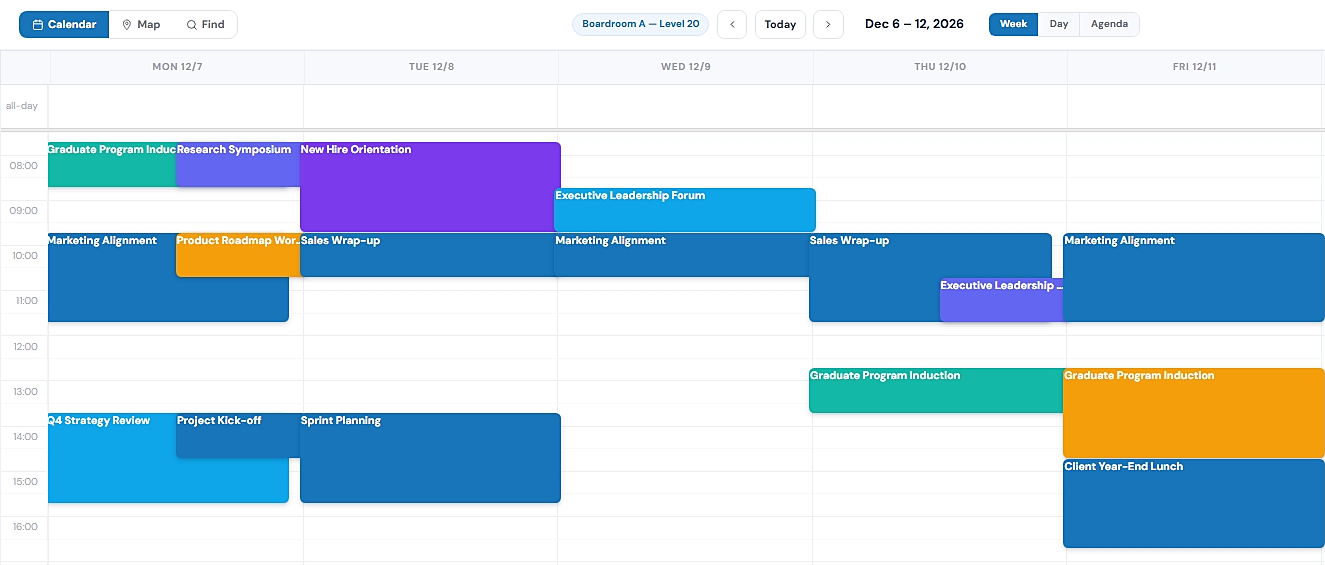
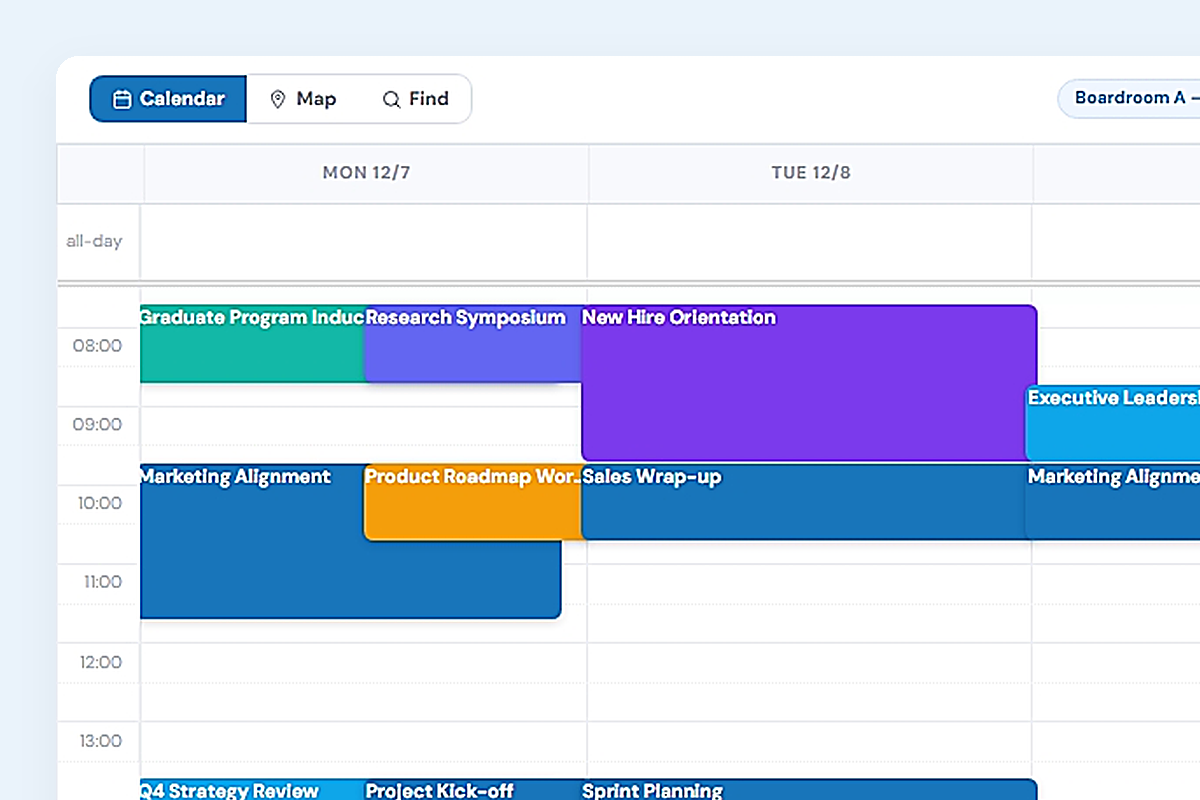
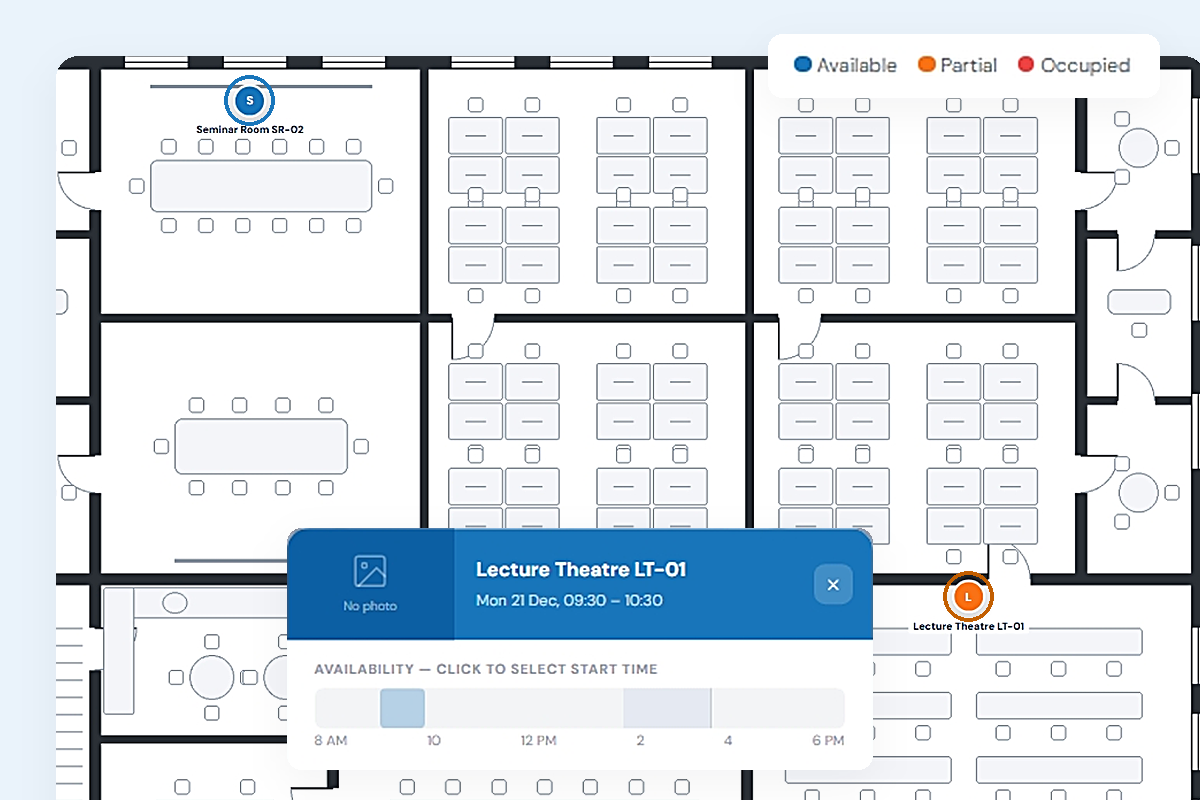
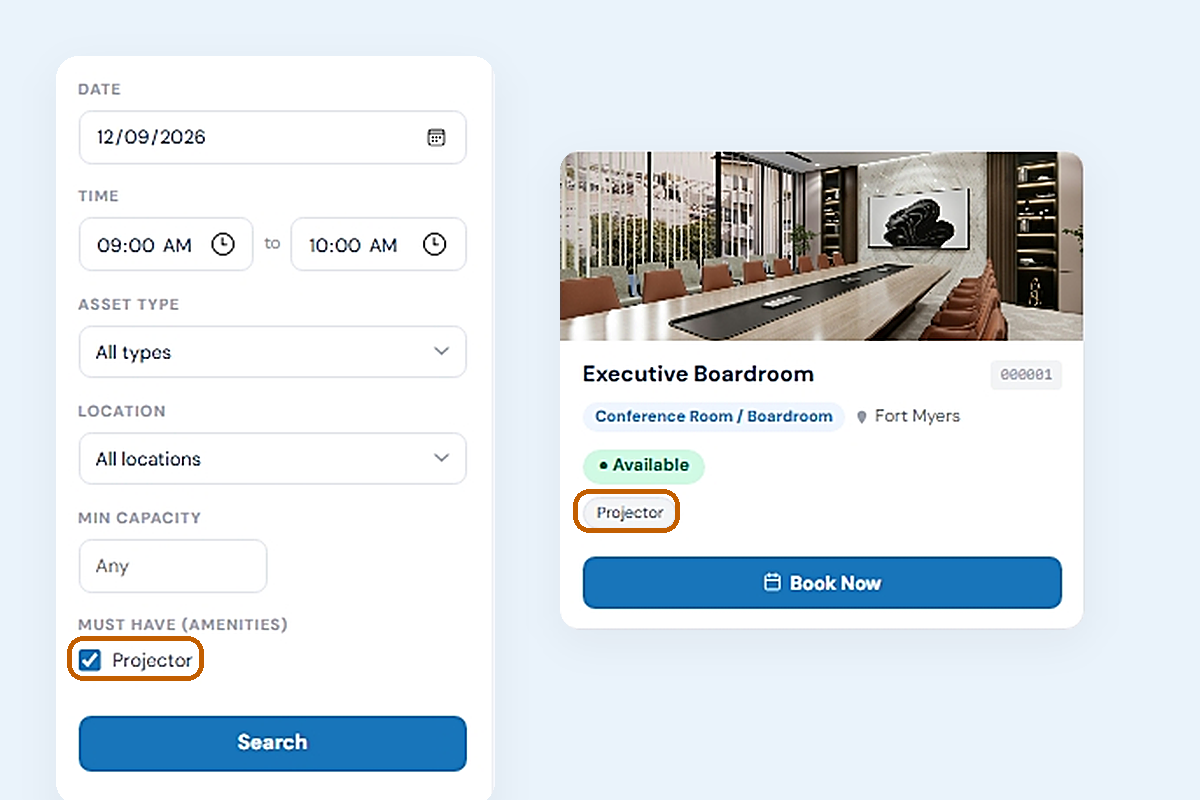
A calendar for planners, a floor plan for users who know where they want to be, and Find for anyone searching for a free room or piece of equipment.
Calendar
See what is booked and free by day, week or month, and click any open slot to book it.
Floor plan map
See rooms and desks on your own floor plan, marked available, partly booked or occupied for the day. Click a pin to book.
Find
Search by date, time, type, capacity and amenities, and see everything that is free in one list.
Booking rules and limits
Recurring bookings
Pooled desks and vehicles
Your logo on every email
Email alerts and notifications
Bulk import from Excel
Multiple sites and time zones
For administrators
In control, with the numbers to prove it
EZBook gives the people who run your spaces clear data on how they are used, and full control over who can book what.
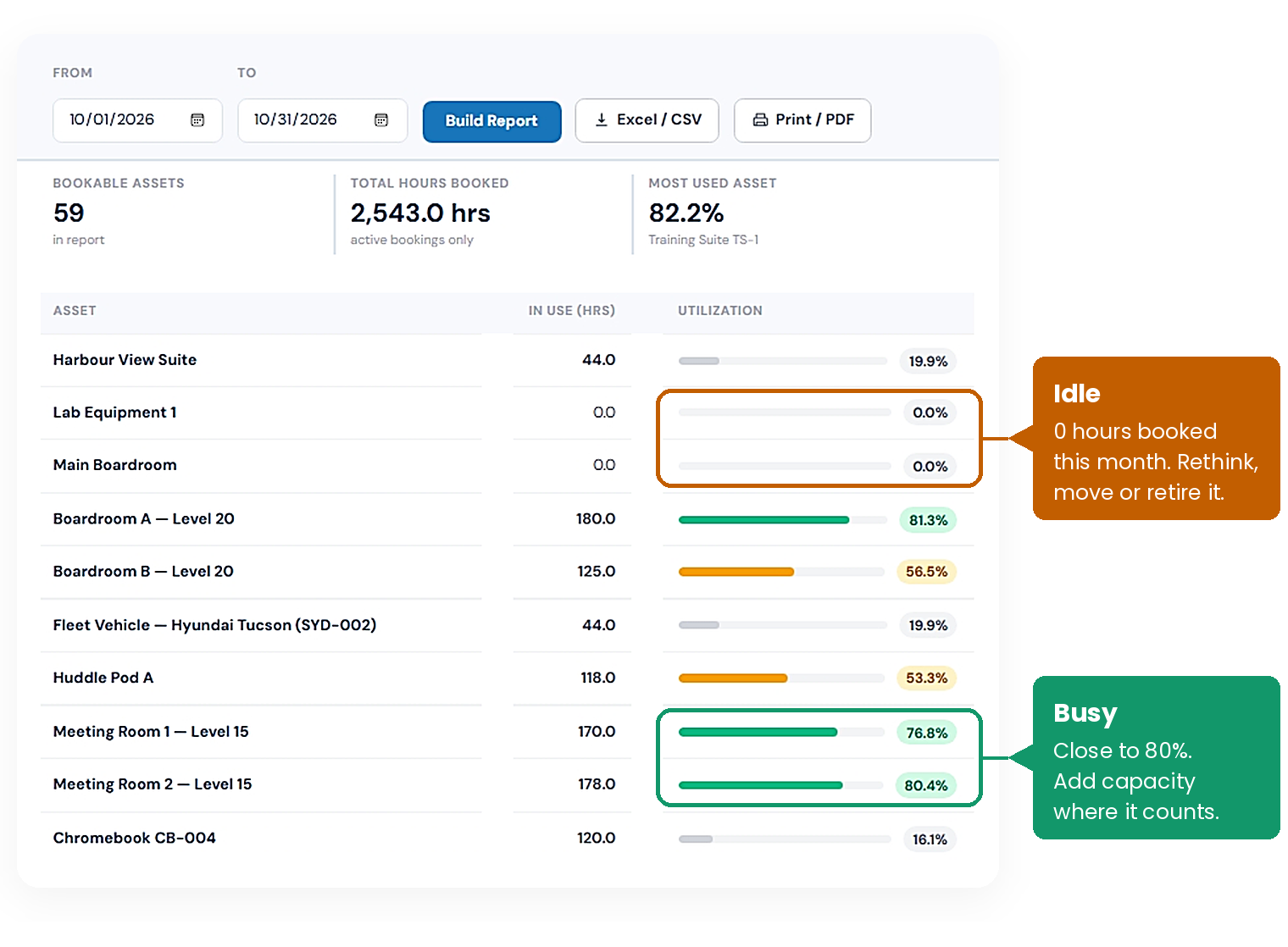
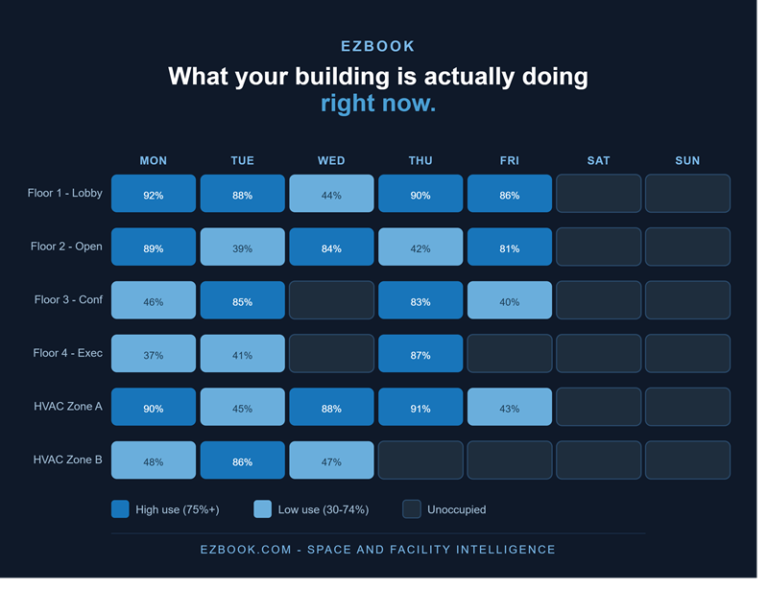
Asset utilization
See what is busy and what sits idle
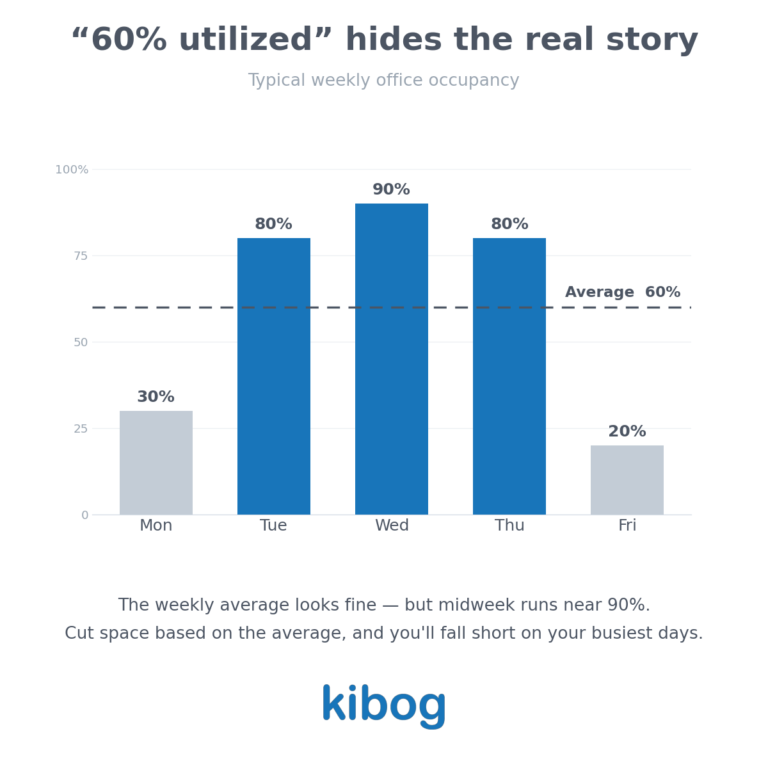
Utilization reports and the dashboard show how every room, desk, vehicle and piece of equipment is really used. Use the numbers to justify budgets, retire what nobody books, and add capacity where demand is high.
- Bookings and hours used, per resource
- No-shows and auto-released bookings
- Download to Excel for budgets and space planning
Roles and access control
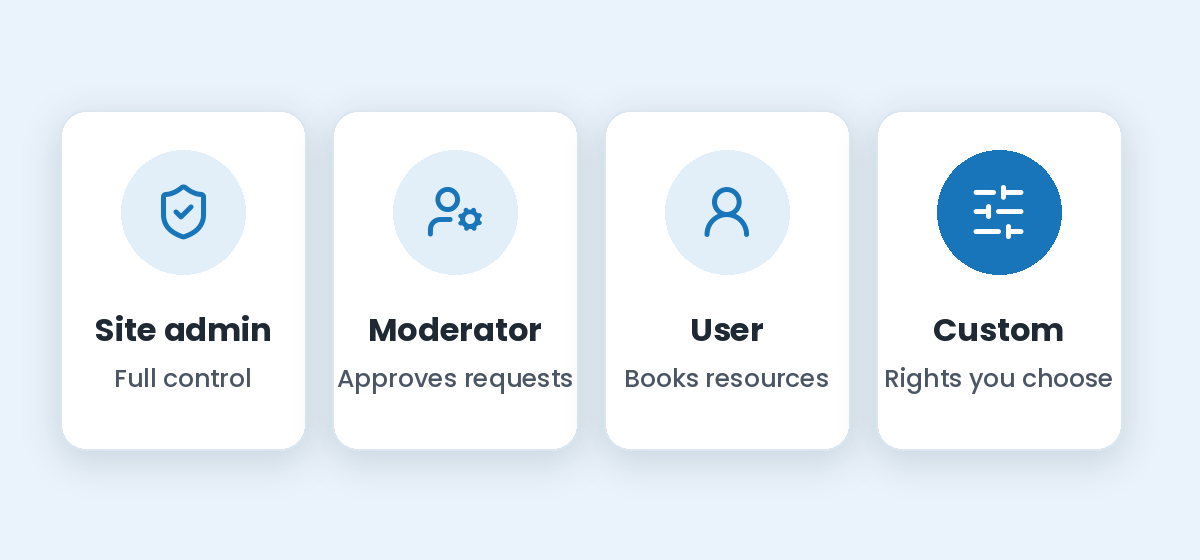
Four roles out of the box: site admin, moderator, user and custom. Custom roles let you set exactly the rights someone needs.
- Rights such as read only, view, or view and edit
- Custom groups by department, course or site
- Control which groups can see and book each resource
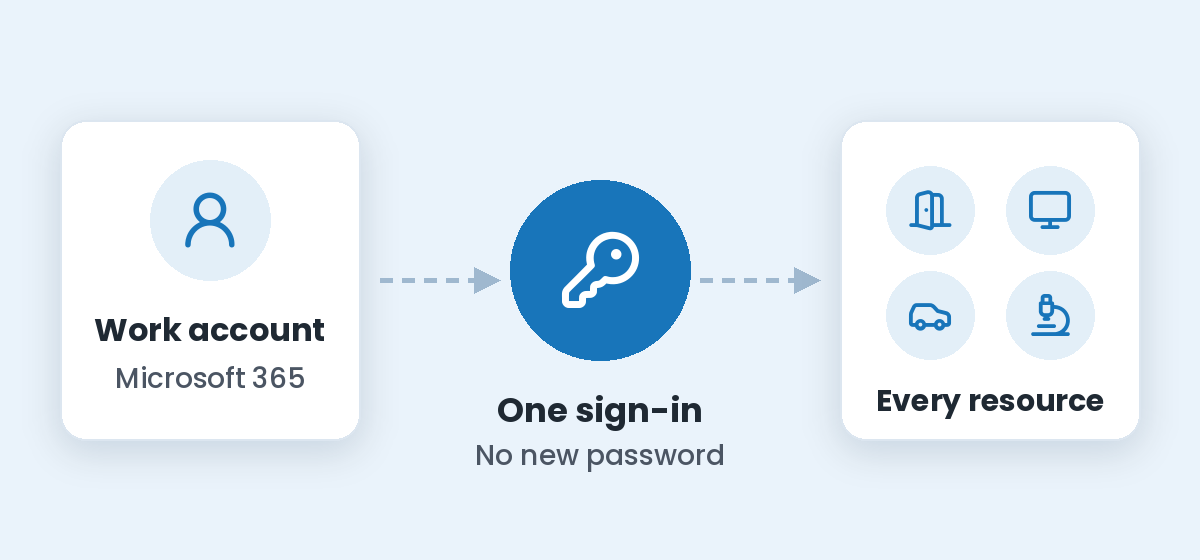
Single sign-on with Microsoft 365
Users sign in with the Microsoft 365 work account they already have. No new passwords to remember or reset.
- One click to sign in for staff and students
- Access ends when someone leaves your Microsoft directory
- Fewer password resets for your IT team
Who uses EZBook
Built for organizations where many users share a few resources
Higher education
Universities and research labs
Our largest customers by users. Students and staff book lab equipment, labs and study rooms, with rules for each department.
Public sector
Counties, cities and agencies
Meeting rooms, public spaces and motor-pool vehicles, with approvals and records. One county runs six sites on EZBook.
Professional services
Law firms and offices
Book client consultation rooms and boardrooms without conflicts, with approval for the rooms partners rely on.
Fleet and facilities
Service and maintenance teams
Schedule maintenance bays, workshop space and shared tools across crews and shifts.
Simple, fair pricing
Pay per resource, not per user
Most booking tools charge for every person who logs in. EZBook charges only for the rooms, desks and equipment you manage in it, so 500 users cost the same as 5, however many bookings they make.
That is a big reason universities with hundreds of students, and county offices with staff across several sites, have stayed with us for years.
$299
per year, for every 10 resources
- Unlimited users and unlimited bookings
- Every feature included
- Add more resources in blocks of 10
- Support from a real team
Example: a lab with 8 pieces of equipment and 400 student users pays $299 a year. A county office with 19 rooms pays $598 a year.
Customer stories
Customers stay for decades
Some of our customers have booked with EZBook for more than 20 years.
Simple and easy to use system. Very helpful team members.
Facility Manager · County Administration Office
Love the stability, cost, and ease of use.
Owner · Mobile Health & Wellness Service Provider
Part of the Kibog platform
Booking, maintenance and assets, from one platform
EZBook is part of Kibog, a facility platform for work orders, maintenance and asset management. That is why EZBook knows when a resource is under maintenance. Use EZBook on its own, or alongside the rest of Kibog as your needs grow.
The Kibog platform
- EZBook: rooms, desks, equipment and vehicle booking
- Work orders: requests, tracking and follow-up
- Maintenance: keep facilities and equipment running
- Asset management: every asset and its history in one place
Questions
Frequently asked questions
Can’t find what you are looking for? Our team is happy to help.
How is EZBook priced?
By resource, not by user or booking. Plans start at $299 a year for 10 resources, with unlimited users, unlimited bookings and every feature included.
What can we book with EZBook?
Any shared space or asset: meeting rooms, boardrooms, desks, lab equipment, vehicles, maintenance bays, tools and more.
Can some rooms or equipment require approval?
Yes. Mark any resource as moderated and bookings become requests. You can assign a different moderator to each resource.
Does EZBook work with Microsoft 365?
Users can sign in with their Microsoft 365 work account, and every confirmation includes a calendar file for Outlook, Google Calendar or Apple Calendar.
What happens when a resource needs maintenance?
Set it to In Maintenance and EZBook blocks new bookings, emails users with upcoming bookings, and reopens it when the work is done.
How long does setup take?
Most organizations are taking bookings within an hour. Resources and users can be imported from Excel.
See EZBook with your own rooms and equipment
A short walkthrough with our team, set up around the resources you actually manage. No obligation.